ARMA REFORGER Cheats
Aimbot, player ESP, and config tools for PC

At a glance
Key capabilities
What ARMA Reforger focuses on before you open the full module list.
Plus 25 additional modules in the operator portal—see the full list below.
Overview
Built for tactical multiplayer on PC
How this build fits ranked, Turbo, and patch-day workflows.
This ARMA REFORGER build groups aimbot, player visuals, and misc settings into clear menu tabs. Tune FOV, smoothness, bone priority, and ESP distance without cluttering your screen.
Config create, load, rename, and delete options let you store ranked and casual presets. EN, RU, and CN language support keeps the menu readable for international squads.
ARMA REFORGER cheats on this page focus on precision aimbot controls and readable player ESP for large-scale multiplayer. Aimbot supports hold and always-on modes with bone selection from head through pelvis.
Cloud DMA compatibility
Cloud DMA support is required for the advertised external workflow. Review hardware and firmware notes in the product checkout flow before you buy.
ARMA REFORGER Aimbot Features
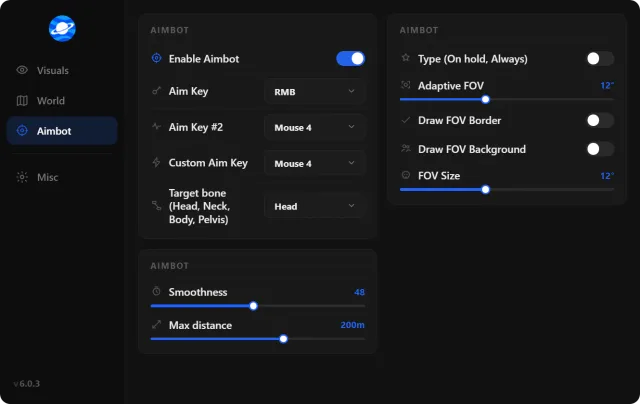
Enable aimbot, bind a custom aim key, and pick target bones with adaptive FOV drawing. Smoothness and max distance sliders keep tracking natural on open maps.
ARMA REFORGER Player ESP and Wallhack
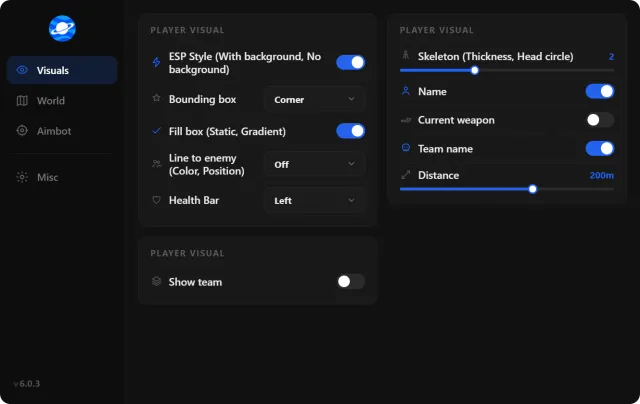
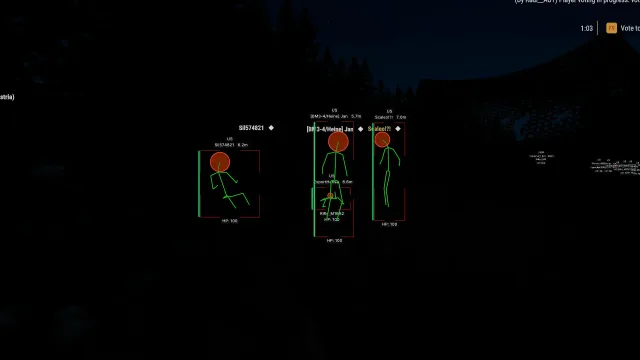
Player ESP includes box and corner modes, gradient fills, skeleton thickness, health bars, weapon readouts, team labels, and line-to-enemy indicators—ideal wallhack-style awareness for PvP.
Configuration & misc
Menu and unload keybinds, DPI scale, FPS limit, watermark toggle, and named config slots keep your layout consistent across sessions.
Modules
What's included
Every module and overlay shipped with ARMA Reforger—toggle and tune in the operator portal.
- Enable Aimbot
- Custom Aim Key
- Target bone (Head, Neck, Body, Pelvis)
- Type (On hold, Always)
- Adaptive FOV
- Draw FOV Border
- Draw FOV Background
- FOV Size
- Smoothness
- Max distance
- ESP Style (With background, No background)
- Bounding box (Box, Corner)
- Fill box (Static, Gradient)
- Line to enemy (Color, Position)
- Health bar (Static, Health based, Gradient)
- Skeleton (Thickness, Head circle)
- Name
- Current weapon
- Team name
- Distance
- Show team
- Menu keybind
- Unload keybind
- DPI Scale
- FPS Limit
- Watermark
- Language (EN, RU, CN)
- Create config
- Load config
- Rename config
- Delete config
Experience
In the client · After you buy
Use the screenshots above for ARMA Reforger—below is what each layer means and how access works after checkout.
In-game layers
- Layer A
Aimbot options
Custom aim key, target bone selection, smoothness, and FOV border drawing.
- Layer B
Player visuals
ESP styles, corner boxes, skeleton lines, and name tags in a live engagement.
- Layer C
Box ESP
Corner and full box modes with gradient fills and line-to-enemy indicators.
- Layer D
Health & team ESP
Health-based bars, team name tags, and show-team filters for squad play.
- Layer E
World awareness
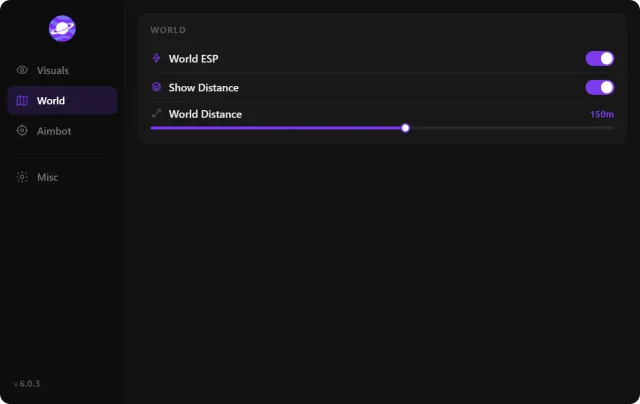
Distance readouts, weapon labels, and team filters across open terrain.
- Layer F
Misc & configs
Menu keybinds, FPS limit, watermark toggle, and saved config profiles.
Guides
Learn more about ARMA Reforger
Curated articles for setup, tuning, and patch-day checks that match this product.
Configure hold vs always-on aimbot, pick target bones, and draw adaptive FOV without overshooting.
Balance corner boxes, gradient fills, skeleton thickness, and team filters for clear wallhack-style overlays.
What Cloud DMA compatibility means and what to verify on your PC before checkout.
Step-by-step secure checkout and first-launch checklist.
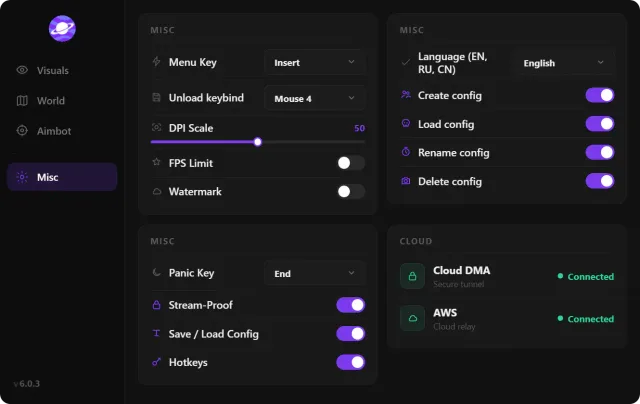
Save ranked and casual presets with create, load, rename, and delete config tools.
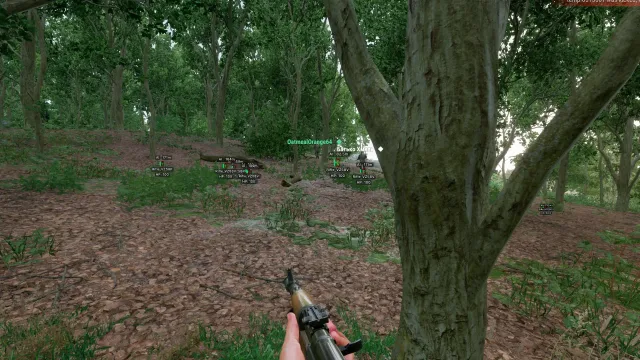
Reduce on-screen noise while keeping distance, weapon, and line-to-enemy intel.
FAQ
Questions about this page
Answers tied to what you are reading—visit the FAQ page for every topic.